
Can You Install Apps on an Android TV Box? How to Choose, Install, and Customize Applications
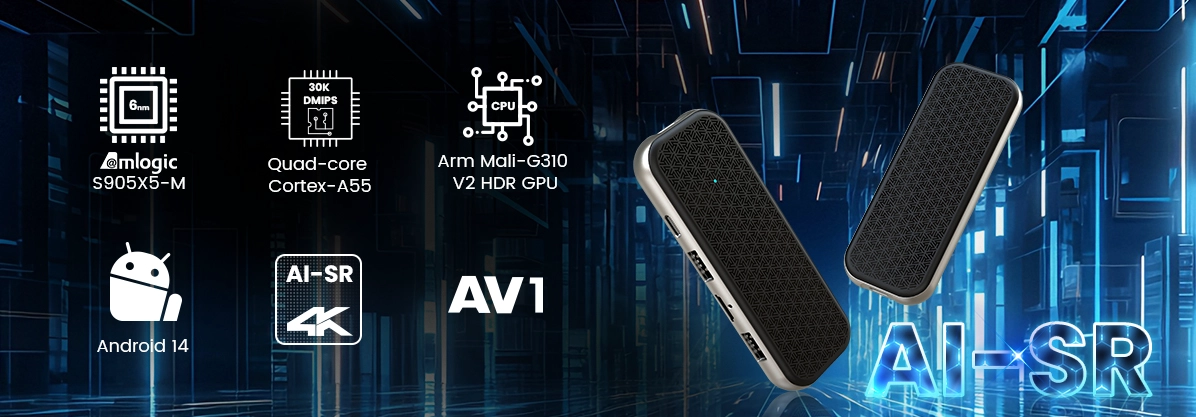
Android application compatibility is becoming an important consideration as TV Box hardware moves toward newer Android versions, AV1 decoding, higher-resolution video processing, and more sophisticated streaming applications.
However, installing an application on an Android TV Box is not always as straightforward as installing it on a smartphone. Some applications require touchscreen input, others depend on Google Mobile Services (GMS), and certain streaming platforms impose specific DRM, HDCP, or device certification requirements.
For individual users, the main question is how to install an application successfully. For B2B buyers, the challenge is broader: how to ensure that an application works reliably across a specific hardware platform, Android firmware environment, and commercial deployment scenario.
Understanding the relationship between APK compatibility, SoC architecture, firmware configuration, and application integration is essential when selecting or developing an Android TV Box.
1. Can You Install Apps on an Android TV Box? Understanding Application Compatibility
Yes. Most Android TV Box devices support application installation, but the available methods and compatibility depend on the Android version, firmware configuration, hardware architecture, and application requirements.
Unlike traditional television hardware, an Android TV Box runs an Android-based operating system that supports applications, system services, and multimedia frameworks.
There are several ways to install applications.
1.1 Install Applications Through Google Play Store
If the Android TV Box includes a compatible and properly licensed Google Play Store environment, users can install supported applications directly.
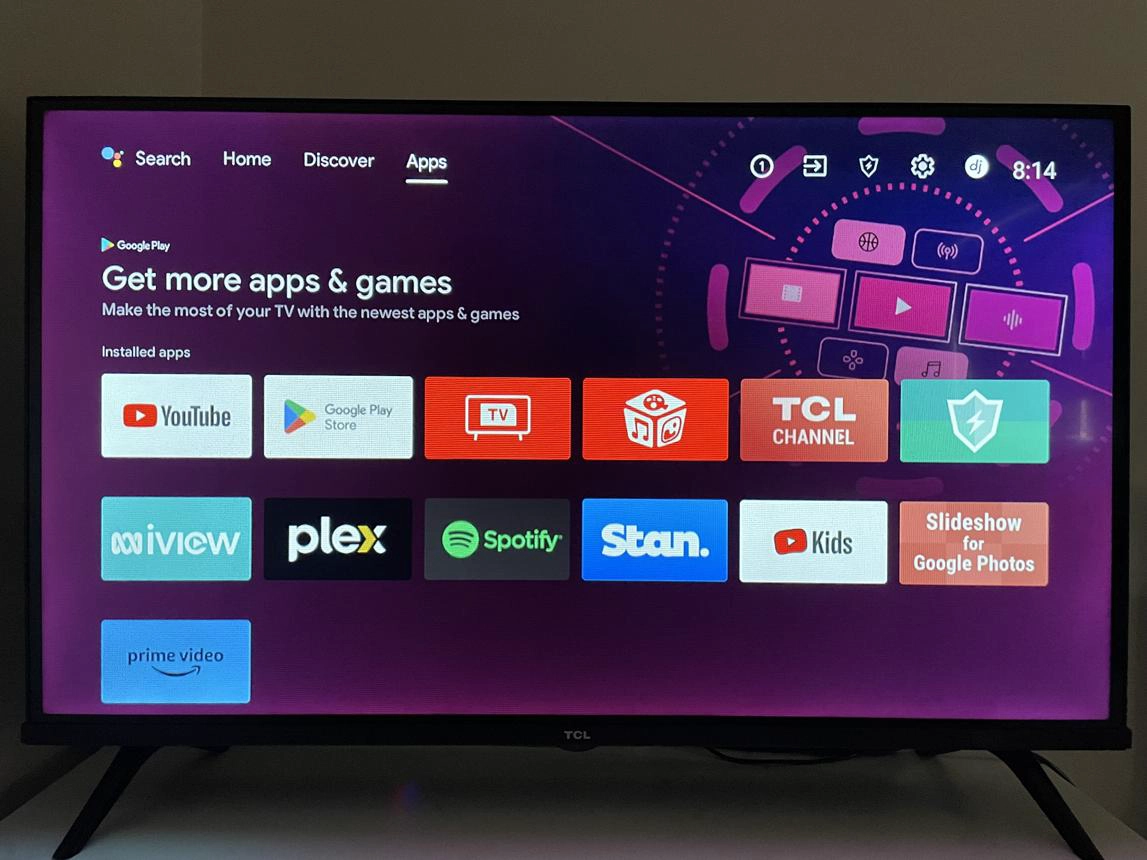
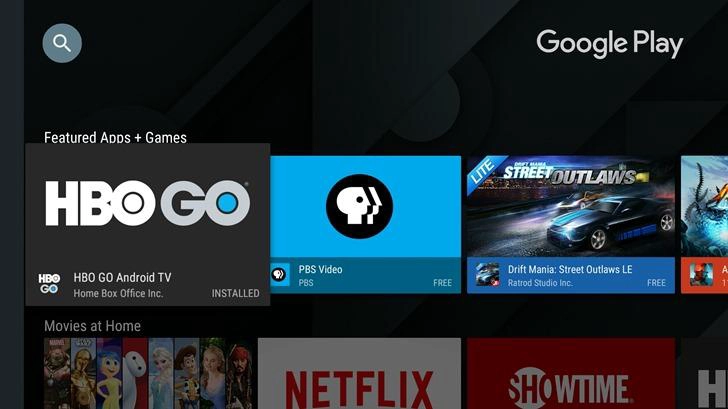
The basic procedure is:
-
Connect the Android TV Box to the internet.
-
Open Google Play Store.
-
Sign in with a Google account if required.
-
Search for the desired application.
-
Select Install.
-
Open the application after installation.
This method is generally the simplest because Google Play manages application distribution and compatibility filtering.
However, not every Android TV Box includes Google-certified firmware or Google Play services. Some devices use AOSP (Android Open Source Project) firmware without a licensed Google application environment.
In these cases, application availability and installation methods may differ.
For B2B procurement, buyers should distinguish between Android OS compatibility and Google certification. Having Android installed does not automatically mean a device is Google TV certified or authorized to distribute every Google Play application.
1.2 Install Applications Using APK Files
APK (Android Package Kit) is the standard Android application package format.
When an application is unavailable through Google Play, an APK file may provide an alternative installation method, provided that the application supports the device's Android version and hardware architecture.
A typical installation procedure involves:
-
Download the APK from a trusted developer or official distribution source.
-
Transfer the file to a USB flash drive or download it directly to the Android TV Box.
-
Open a compatible file manager.
-
Locate the APK file.
-
Enable installation from the relevant unknown-app source if Android requests permission.
-
Select the APK and complete the installation.
Android versions may use different permission menus and security prompts.
Important compatibility checks before installing an APK:
-
Android minimum API level.
-
ARM or ARM64 CPU architecture.
-
Application package format and split APK requirements.
-
Required Google services.
-
Available RAM and storage.
-
Remote-control or touchscreen input requirements.
-
DRM and content protection requirements.
For security, avoid modified APKs from unknown websites. APK sideloading does not guarantee that an application is safe or compatible.
1.3 Can You Install Any Android Application?
No. Android application compatibility involves more than the ability to install an APK.
For example, an application designed for smartphones may depend on:
-
Touchscreen gestures.
-
GPS positioning.
-
Camera access.
-
Mobile telephony services.
-
Specific Google APIs.
-
A particular CPU instruction set.
An Android TV Box may not include these hardware components or software services.
There is also a distinction between Android mobile applications and Android TV applications.
Android TV applications are designed for television interfaces, including:
-
D-pad navigation.
-
Remote-control input.
-
Large-screen layouts.
-
Leanback-compatible interfaces.
-
Television-focused application launchers.
An application can install successfully but remain difficult to operate with a standard TV remote.
For commercial applications, testing should cover both installation compatibility and actual user interaction.
2. How to Choose the Right Apps for an Android TV Box
Application selection should begin with the intended deployment scenario rather than the number of applications available in an app store.
A residential streaming device, IPTV operator terminal, hotel television system, and commercial digital signage player may all use Android, but their application requirements are fundamentally different.
2.1 Streaming and Entertainment Applications
For conventional streaming applications, the most important factors are codec support, network performance, application compatibility, and content protection.
Typical application categories include:
|
Application category |
Main function |
Technical considerations |
|---|---|---|
|
Video streaming |
Online video playback |
Codec, resolution, DRM |
|
IPTV applications |
Live TV and VOD |
Middleware and API compatibility |
|
Media players |
Local and network media playback |
File formats and decoding |
|
Music applications |
Audio streaming |
Audio codecs and output |
|
Browser applications |
Web content access |
Memory and rendering performance |
|
Utility applications |
Device management |
Android permissions and compatibility |
A device supporting H.265 and AV1 hardware decoding can offer advantages for compatible streaming workloads, but the application must also support the relevant media framework and playback configuration.
The presence of an AV1-capable SoC alone does not guarantee AV1 playback in every third-party application.
2.2 IPTV Applications for Operators and Service Providers
IPTV is one of the most important commercial application scenarios for Android TV Box manufacturers.
An IPTV application typically connects the device to an operator's backend infrastructure, including middleware, authentication servers, EPG services, and content delivery systems.
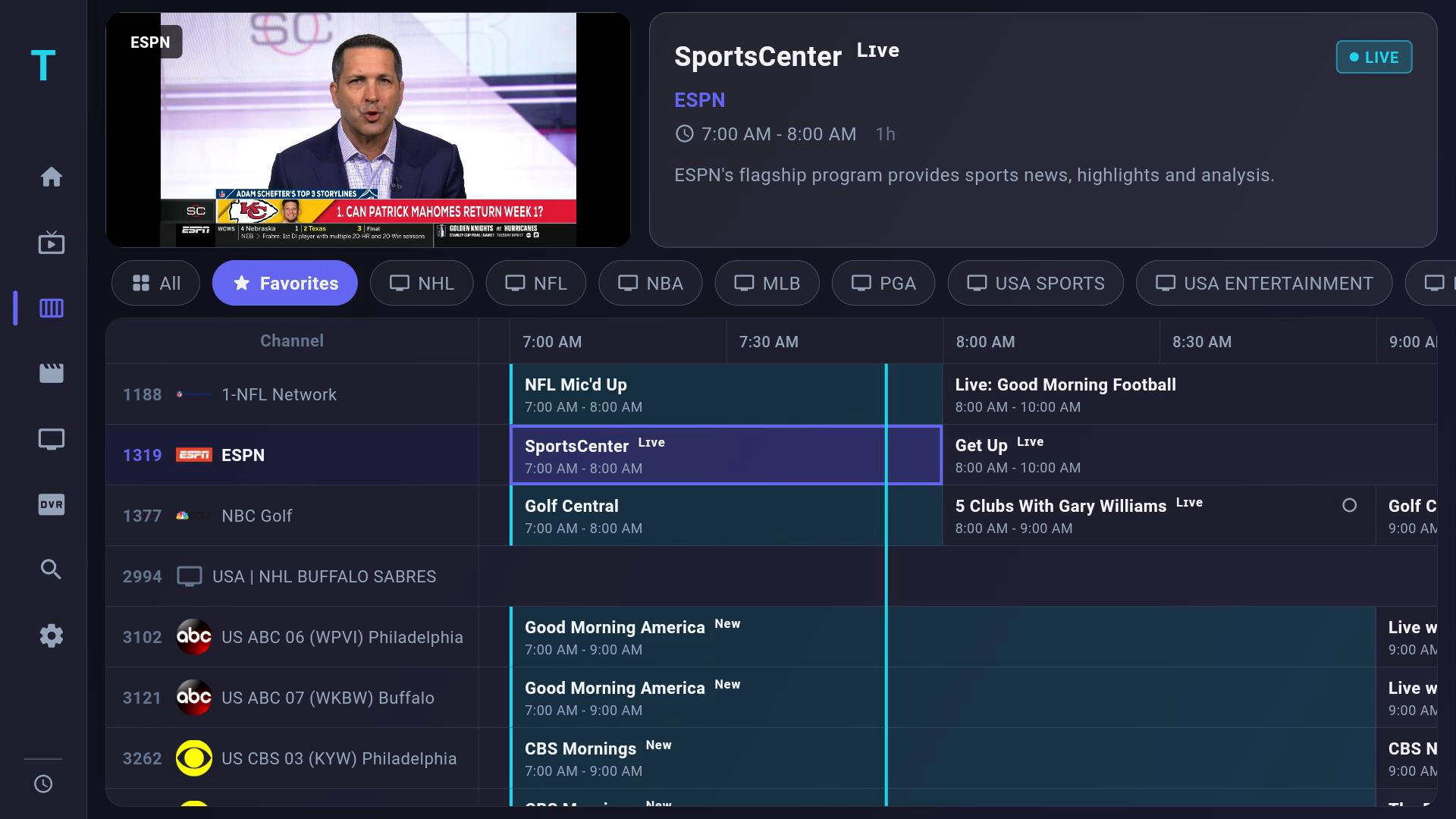
Common IPTV functions include:
-
Live television channels.
-
Electronic Program Guide (EPG).
-
Video-on-Demand (VOD).
-
Catch-up television.
-
Time-shift playback.
-
User authentication.
-
Subscription management.
-
Remote configuration.
For an IPTV operator, installing a generic application may not be sufficient.
The application may need to communicate with proprietary middleware or use specific APIs for user authentication, device activation, and service authorization.
SZTomato supports SDK/API integration and Android firmware customization for projects requiring compatibility with existing IPTV platforms.
This approach allows customers to develop a device around their existing service infrastructure instead of rebuilding their software ecosystem to accommodate a standard retail TV Box.
2.3 Commercial and Industrial Applications
Android TV Box hardware is also used beyond household entertainment.
Commercial applications include:
-
Hotel IPTV systems.
-
Digital signage content playback.
-
Corporate information displays.
-
Education and training systems.
-
Interactive advertising.
-
Retail multimedia terminals.
-
Smart building displays.
These environments introduce additional requirements.
A digital signage application, for example, may need to launch automatically after startup, operate without user intervention, recover from unexpected application termination, and receive content updates remotely.
An ordinary consumer Android interface may not provide the necessary level of operational control.
For these applications, the hardware and firmware should be designed around the target software from the beginning.
3. Why Some Apps Cannot Run Properly on an Android TV Box: Hardware and Firmware Solutions
Application problems are not always caused by the application itself.
In commercial deployments, compatibility issues often originate from differences between the Android framework, hardware architecture, system permissions, multimedia drivers, and application dependencies.
Understanding these technical factors helps manufacturers avoid unnecessary troubleshooting after deployment.
3.1 SoC Architecture, RAM, and Storage Compatibility
The SoC determines the device's processing capabilities and supported hardware features.
Different Android TV Box platforms may use different ARM CPU architectures, GPU configurations, video decoding engines, and memory interfaces.
For example, an APK compiled only for ARM64 may not work correctly on a device whose firmware supports only 32-bit application execution.
Memory limitations can also affect application performance.
A device running an IPTV application alongside background services, system monitoring, and other processes may require more RAM than a basic single-purpose streaming terminal.
Storage capacity is equally important when applications include large resource packages, cached content, databases, and update files.
For OEM/ODM projects, hardware configuration should be determined by the intended application workload.
3.2 Android Firmware, Permissions, and Kernel Optimization
AOSP firmware provides manufacturers with flexibility to customize the Android environment.
However, application compatibility depends on how the firmware is configured.
Typical issues include:
-
Missing system libraries.
-
Incorrect permission configuration.
-
Incompatible device drivers.
-
Missing Google services.
-
Restricted background processes.
-
Incorrect display or audio configuration.
-
Application startup restrictions.
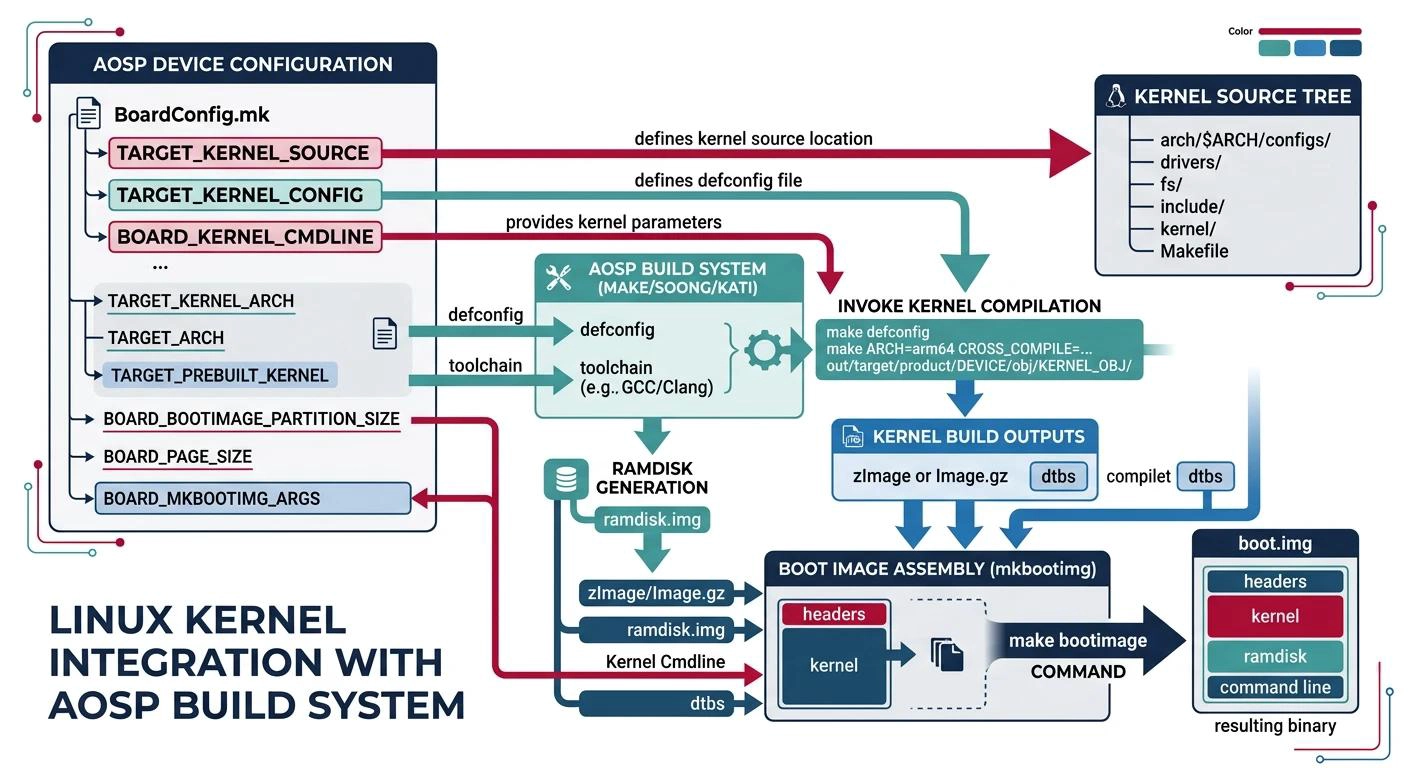
Linux/Android kernel optimization can address certain hardware-level compatibility and performance issues, particularly when applications depend on specific peripheral drivers or system interfaces.
SZTomato supports customized Android firmware development, including system application configuration, driver integration, startup behavior, and custom UI/UX development.
3.3 SDK/API Integration for Proprietary Applications
Some commercial applications require access to hardware functions or communication interfaces that are not available through standard Android application APIs.
For example, a customer may develop an application that needs to communicate with:
-
GPIO-controlled external devices.
-
UART-connected peripherals.
-
Ethernet-connected control systems.
-
Proprietary IPTV middleware.
-
External device management platforms.
-
Customized hardware modules.
In these cases, SDK/API integration may be required.
The manufacturer can work with the customer's software team to define the interface between the application and the Android system.
Depending on the project, this may involve:
-
Identifying the required hardware functions.
-
Reviewing existing Android APIs and system services.
-
Developing or modifying device drivers where necessary.
-
Defining SDK interfaces for application developers.
-
Integrating the application with the firmware.
-
Testing communication and system stability.
SZTomato supports hardware and software customization to help customers build application-specific Android TV Box platforms.
3.4 DRM, HDCP, and Protected Streaming Applications
Certain premium streaming applications require more than ordinary Android compatibility.
They may depend on content protection technologies such as Widevine DRM and HDCP.
DRM manages access to protected digital content, while HDCP protects supported video and audio transmission through digital interfaces such as HDMI.
A device may support hardware video decoding but still fail to play protected content if the required DRM security level, licensing, device certification, or HDCP implementation is missing.
For example, a streaming application may restrict high-resolution playback on devices that do not meet its certification requirements.
OEM buyers should verify the following before selecting a hardware platform:
-
Required DRM solution and security level.
-
HDCP version and supported output configuration.
-
Secure boot and key provisioning requirements.
-
Google certification requirements, where applicable.
-
Application-specific device authorization.
These requirements should be established before hardware mass production. They cannot always be solved through a simple APK installation or launcher modification.
4. Android TV Box OEM/ODM: Customize Applications, Firmware, and Hardware for Your Business
For brands, IPTV operators, and system integrators, application installation is only the starting point.
A commercial Android TV Box should provide a controlled software environment, predictable hardware performance, and a manageable deployment process.
This is where OEM/ODM customization becomes commercially valuable.
4.1 Custom UI/UX and Preinstalled Application Configuration
A branded Android TV Box should present the customer's software ecosystem immediately after startup.
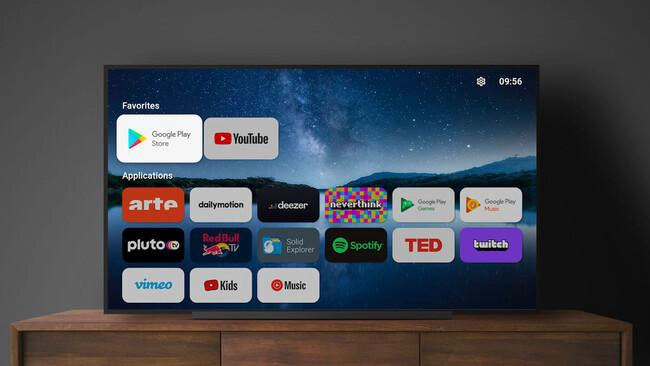
Depending on project requirements, customization can include:
-
Preinstalled applications.
-
Customized home screen and launcher.
-
Company logos and boot animations.
-
Default language and regional configuration.
-
Application priority and navigation structure.
-
Restricted system settings.
-
Remote-control key mapping.
-
Automatic application startup.
-
Customized system menus.
For an IPTV operator, the device can boot directly into a branded IPTV interface.
For a hotel project, the interface can prioritize room services, entertainment, and hotel information.
For digital signage, the system can automatically launch the designated content management application.
These configurations improve the consistency of the user experience and reduce the need for end users to configure the device manually.
4.2 PCBA Hardware Modification for Dedicated Applications
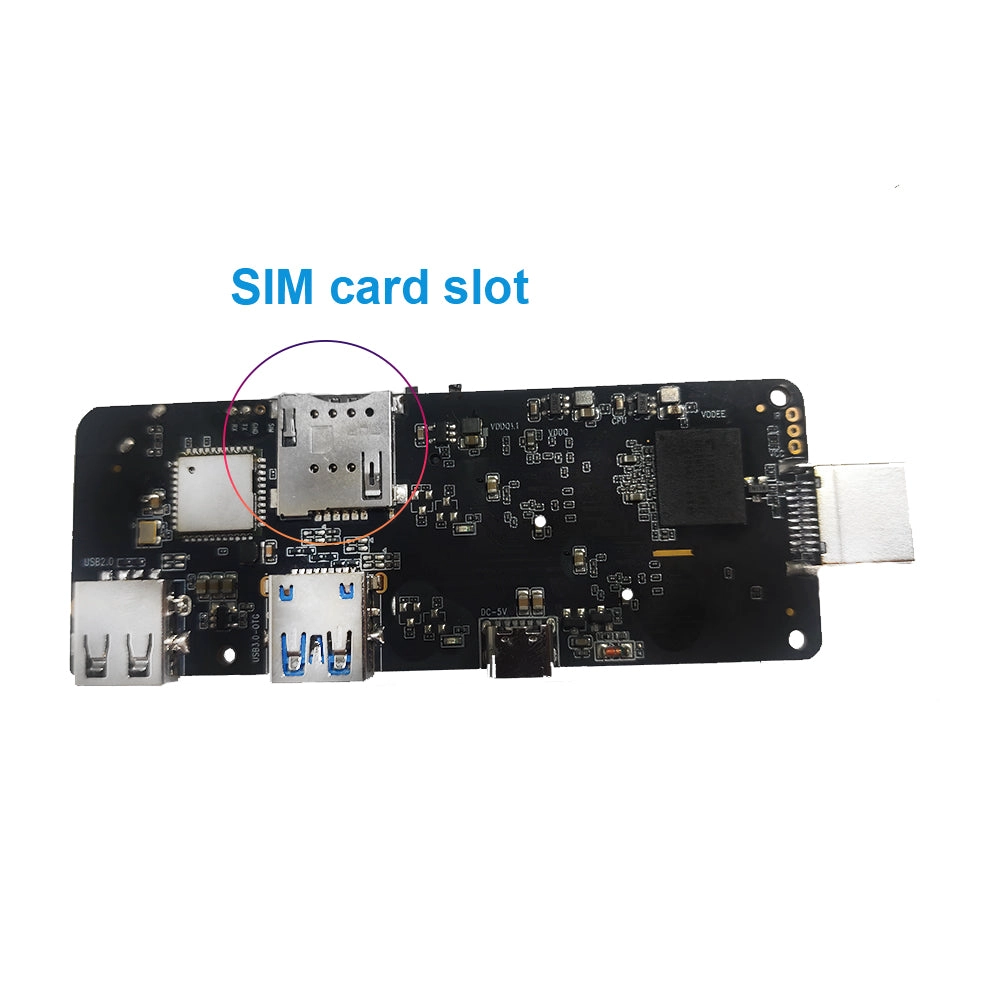
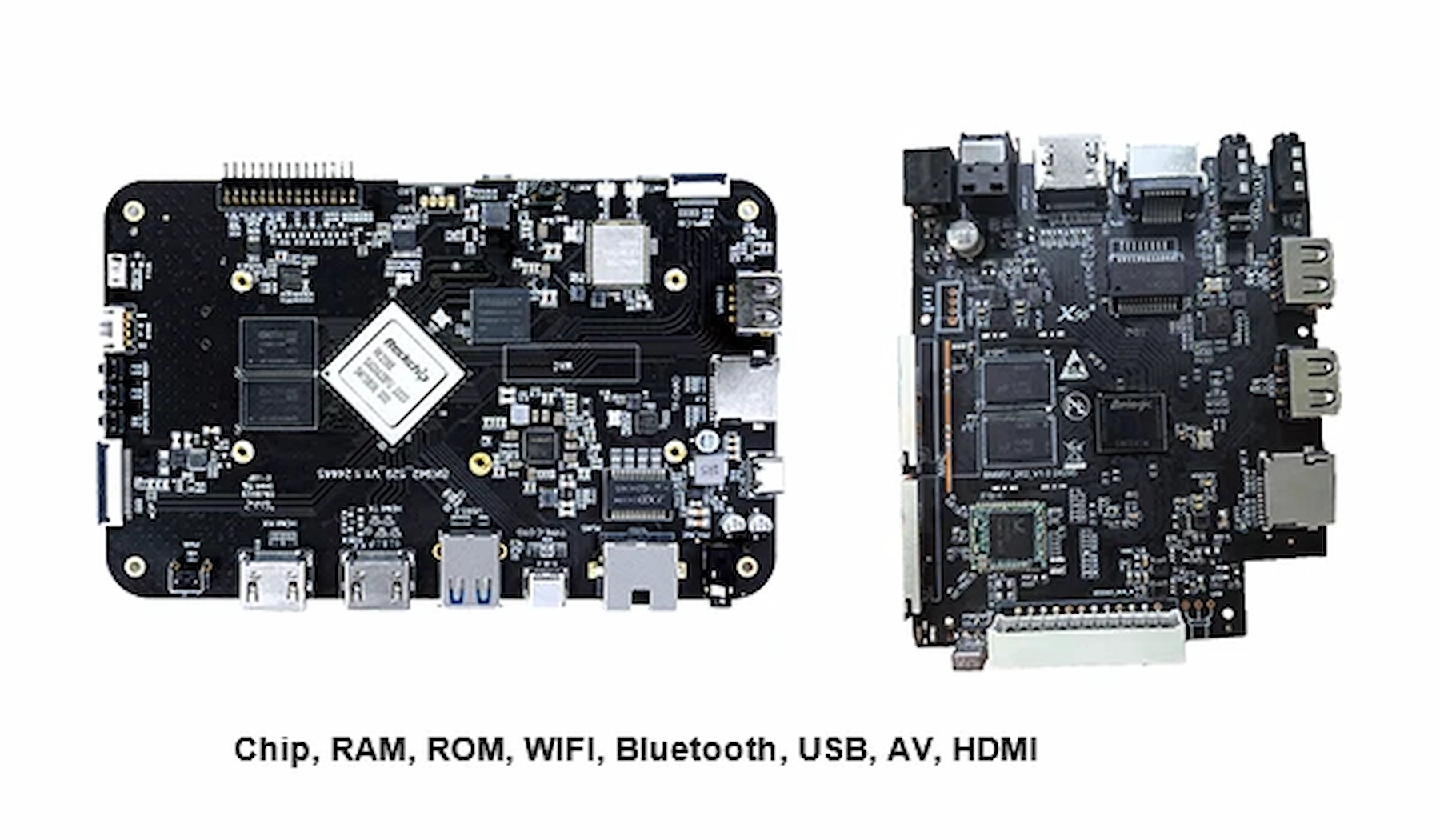
When the application requires additional hardware functions, standard PCBA designs may need modification.
SZTomato supports hardware customization based on the customer's engineering requirements.
Typical modifications include:
|
Hardware area |
Potential customization |
|---|---|
|
SoC platform |
Processor selection based on application workloads |
|
RAM/eMMC |
Memory and storage configuration |
|
Ethernet |
Network interface requirements |
|
USB |
External peripherals and data connectivity |
|
UART/GPIO |
Communication and hardware control |
|
HDMI |
Display output compatibility |
|
Power circuit |
Power management and stability |
|
PCB layout |
Component placement and signal integrity |
For example, a commercial application that communicates with an external control board may require UART or GPIO support.
A digital signage deployment may require additional network interfaces or customized enclosure dimensions.
These requirements should be included in the PCBA design stage rather than treated as last-minute production changes.
4.3 Specialized Cooling for Continuous Application Operation
Application performance is also affected by thermal design.
A Smart TV Box running video playback continuously, rendering digital signage content, or executing background computing tasks can experience sustained SoC workloads.
Inadequate heat dissipation may cause thermal throttling, system instability, or reduced hardware lifespan.
For industrial and commercial applications, SZTomato can support specialized cooling solutions based on:
-
SoC power consumption.
-
Enclosure dimensions.
-
Ambient operating temperature.
-
Expected operating hours.
-
Airflow conditions.
-
Installation environment.
Thermal solutions may include optimized heat sinks, thermal interface materials, enclosure modifications, and airflow improvements.
The design objective is to maintain stable performance under the actual deployment conditions.
4.4 OTA Updates and Centralized Application Management
For large-scale commercial deployments, application maintenance is as important as initial installation.
An operator may need to update an IPTV application across thousands of devices without sending technicians to individual locations.
OTA (Over-the-Air) update systems can support remote firmware distribution and software maintenance.
A commercial OTA strategy should consider:
-
Firmware version management.
-
Application package distribution.
-
Update authentication and integrity verification.
-
Staged rollout.
-
Update failure recovery.
-
Device identification.
-
Remote diagnostics.
Application and firmware updates should also be coordinated to avoid version conflicts.
For example, a new IPTV application release may depend on a specific firmware API. Updating the application without updating the corresponding system component could cause compatibility problems.
SZTomato supports firmware customization and OTA-related integration according to customer project requirements, helping operators establish a more manageable device lifecycle.
Conclusion: Choose an Android TV Box That Supports Your Application Strategy
Installing applications on an Android TV Box is relatively straightforward. Building a reliable application platform for commercial deployment requires much more careful engineering.
Google Play availability, APK compatibility, Android API levels, ARM architecture, DRM certification, memory resources, and firmware configuration all influence whether an application will work as expected.
For B2B buyers, the most important question is not simply whether a device can install an application. It is whether the hardware and software architecture can support the application reliably throughout its deployment lifecycle.
SZTomato provides Android TV Box OEM/ODM solutions covering:
-
PCBA hardware modification and SoC selection.
-
RAM and storage customization.
-
Custom Android firmware and UI/UX development.
-
SDK/API integration for proprietary applications.
-
IPTV middleware compatibility.
-
Linux/Android kernel and driver optimization.
-
Specialized cooling solutions for industrial applications.
-
OTA firmware and application management integration.
-
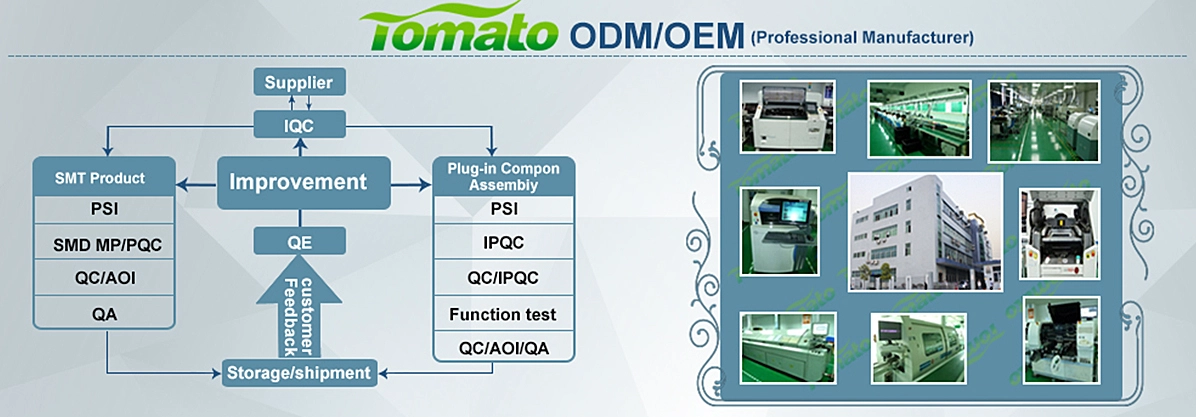
OEM/ODM production and quality control.
Since 2011, SZTomato has focused on multimedia hardware engineering and customized manufacturing for international B2B customers.
Whether you are developing an IPTV terminal, launching a branded Android TV Box, integrating a proprietary application, or deploying commercial multimedia devices, our engineering team can help evaluate the required hardware and firmware architecture.
Looking for an Android TV Box manufacturer that can support your application requirements?
Contact SZTomato at https://www.sztomato.com to discuss your project.
Provide your target Android version, application requirements, SoC preferences, memory configuration, connectivity interfaces, and estimated order quantity. We can evaluate the feasibility of your OEM/ODM project and recommend a suitable hardware and software solution.
